A guide for clients
Shoot loose. We crop later.
A simple guide to taking photos we can turn into banners, portraits, squares, and website headers without losing the important part.
The one rule
Keep the important subject near the centre, and leave room around it.
The idea
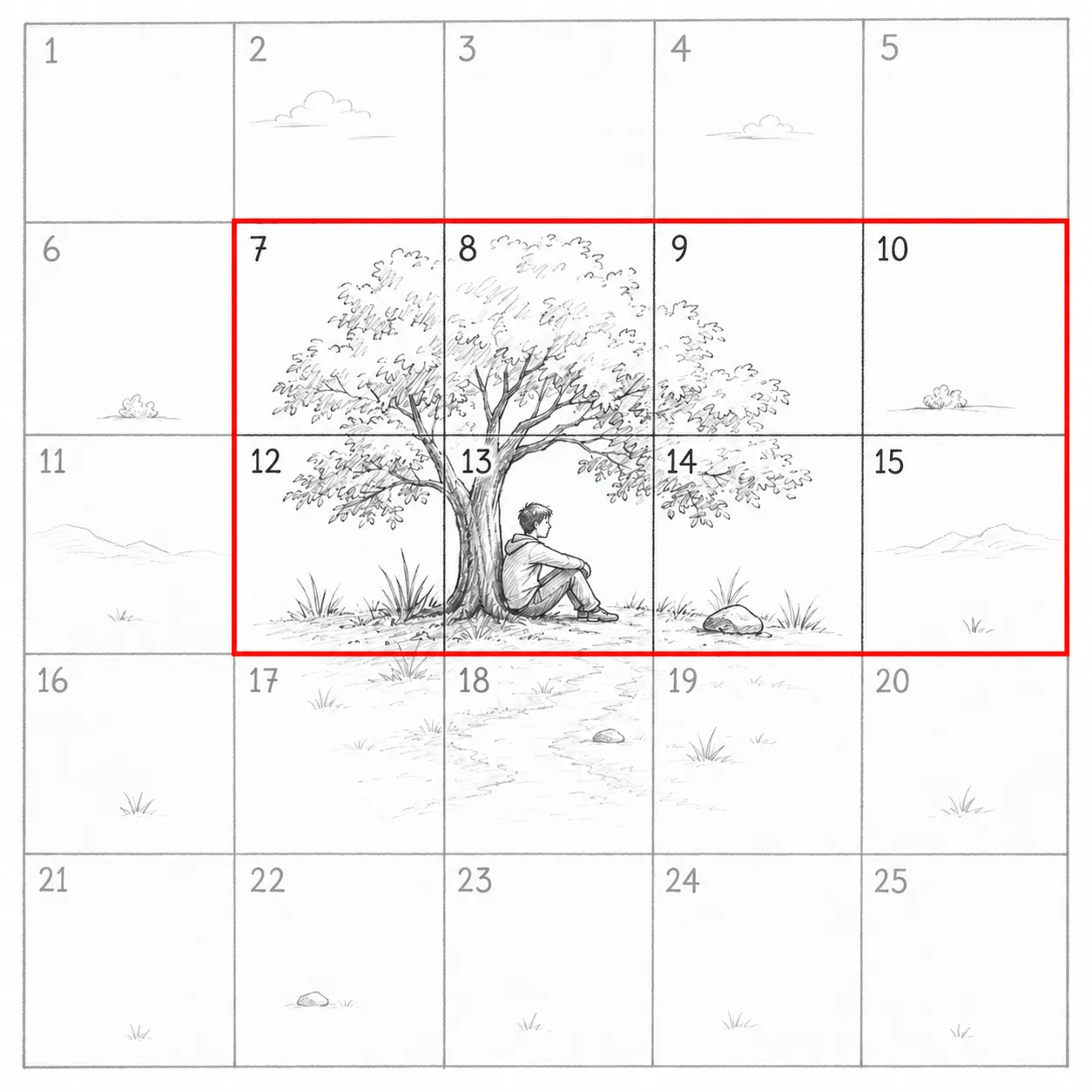
Think in a 5 by 5 grid
Picture your photo divided into a 5 by 5 grid. It helps you keep the important part safe, with extra space around it for different crops later.
Centre (square 13)
The most important zone. Keep your main subject here if possible.
Middle area (squares 7 to 19)
Generally safe. Keep your main subject somewhere in this area.
Outer edges (squares 1 to 25)
Crop-friendly space. Use this area for extra background, sky, or surroundings.
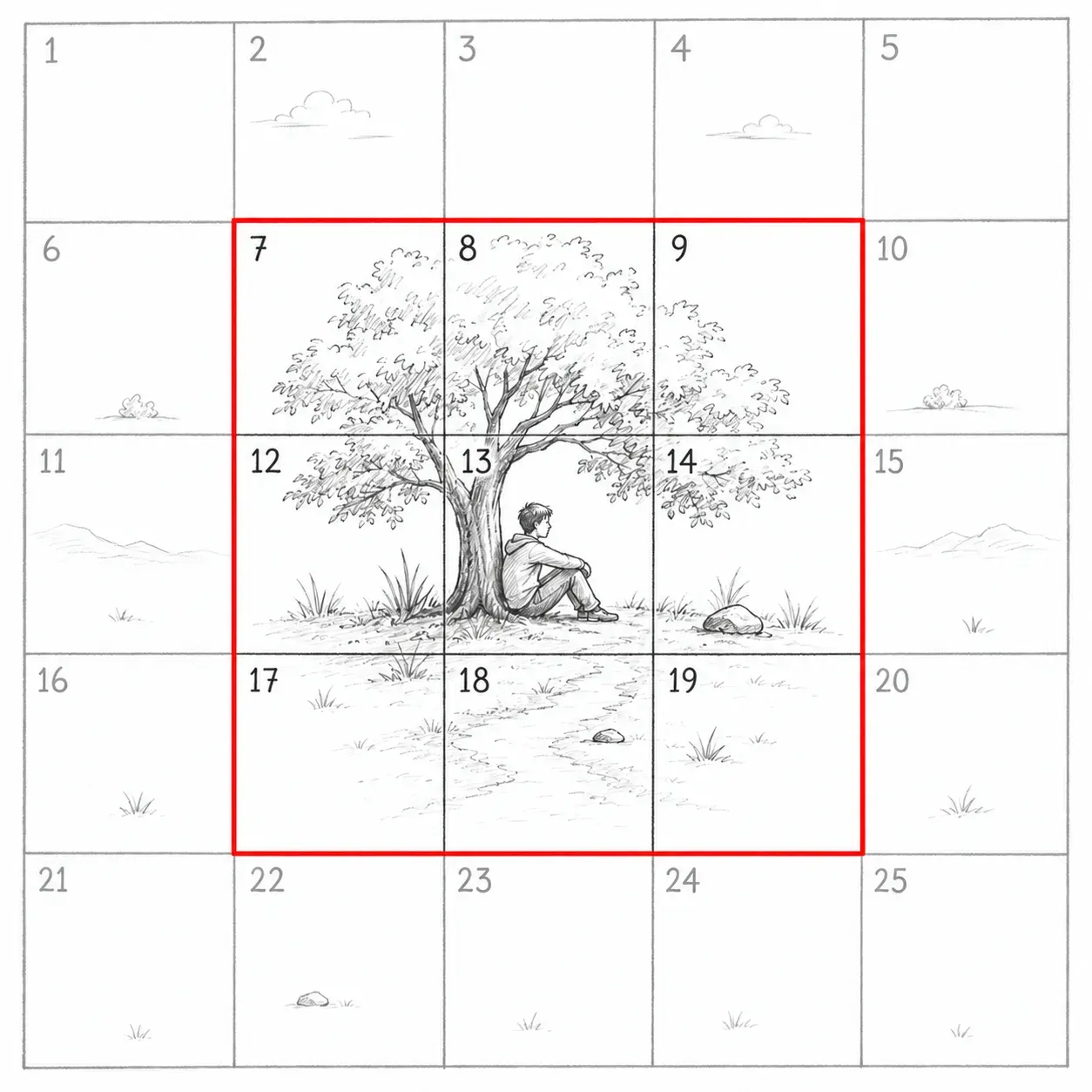
Same photo, many crops
One photo, many formats
The same photo can be cropped in different ways for different needs, and the important part still stays in the frame.
-
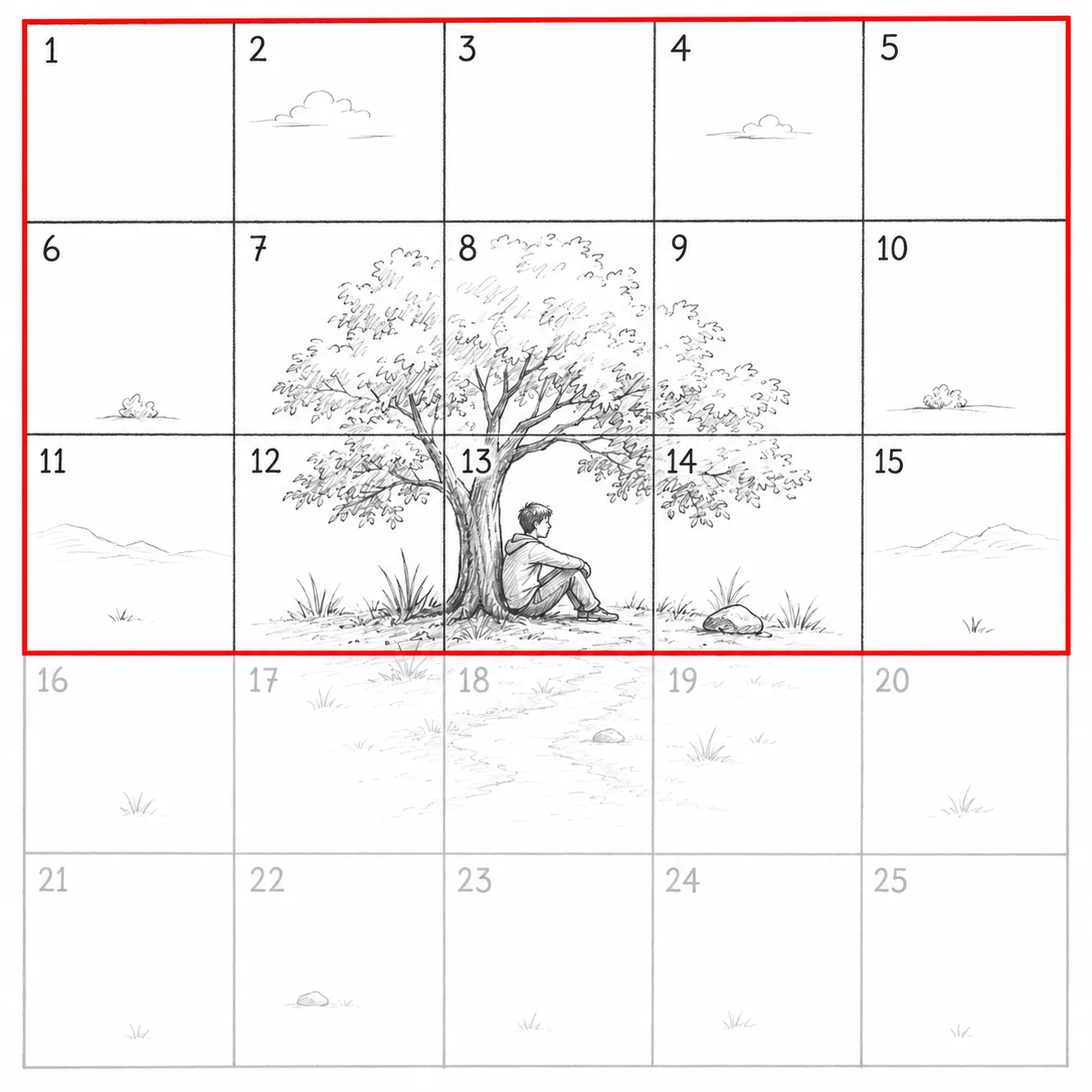
Website banner
Wide crop for homepage banners, hero images, or cover photos.
Good for: websites, cover photos
-
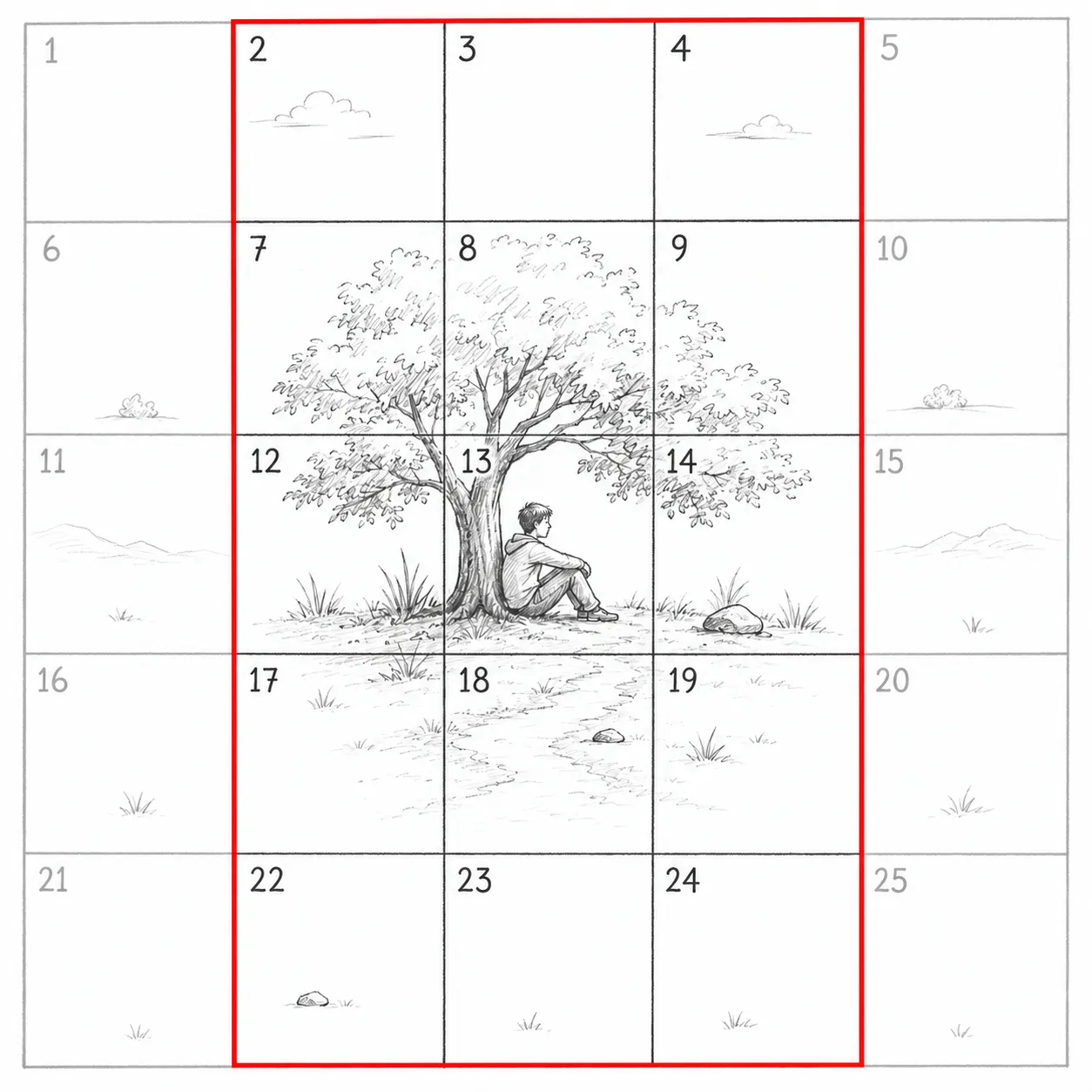
Portrait feature
Tall crop for portraits, posters, or mobile stories.
Good for: portraits, stories, posters
-
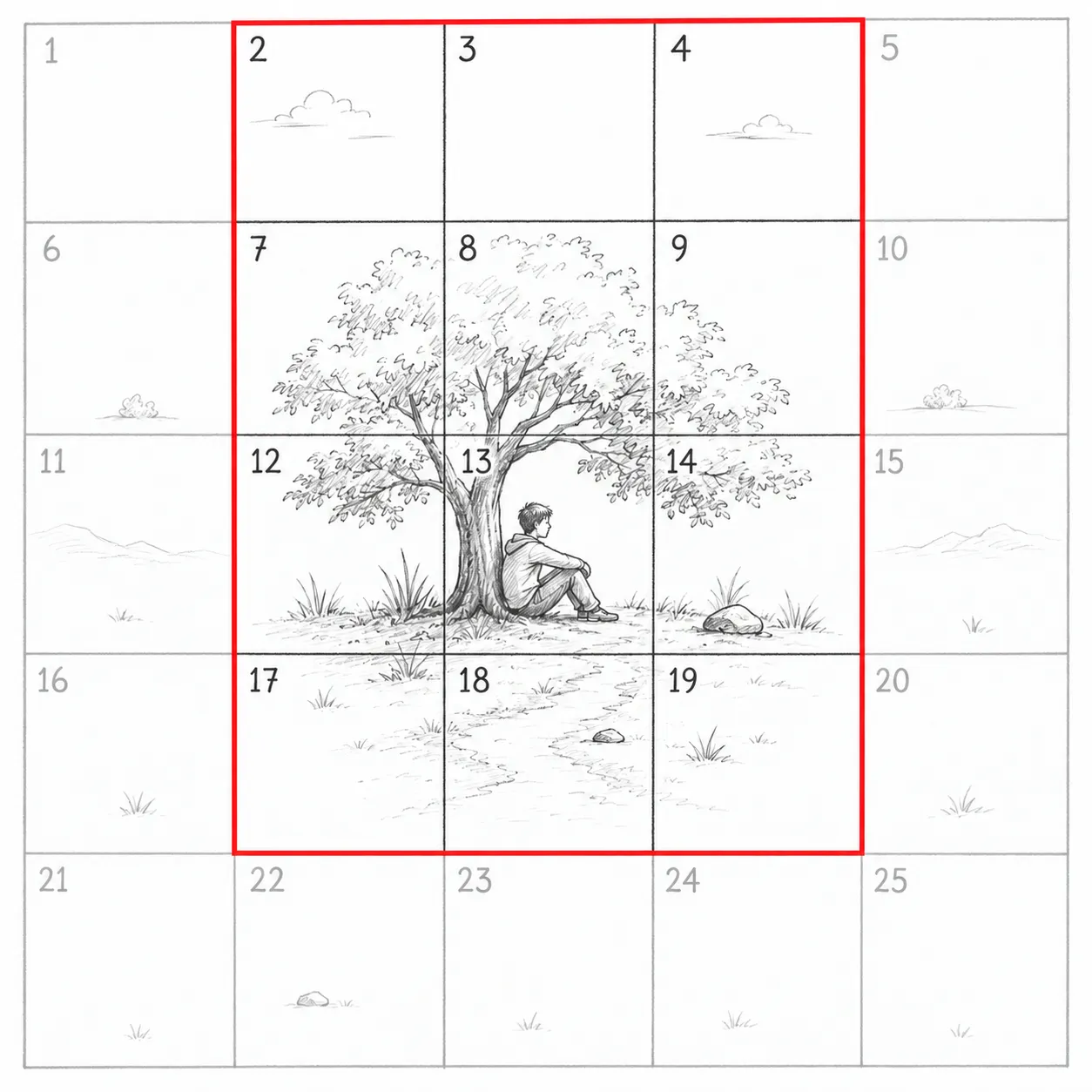
Square post
Balanced crop for social media posts.
Good for: Instagram, LinkedIn, posts
-
Mobile header
Wide-ish crop for mobile headers or small banners.
Good for: mobile sites, app headers
Before you send us photos
What to send us
A few simple tips will give us the most flexibility when we crop your photos.
Do this
-
Frame with room to spare
Put the main subject in the middle area, roughly squares 7 to 19.
-
Leave breathing room
Give people and objects space around them, not just above their heads.
-
Shoot a little wider
Wider than feels necessary is usually about right.
-
Keep detail away from edges
Anything you care about should sit well clear of the frame border.
Avoid this
-
Framing too tightly
A tight crop in-camera leaves us nothing to work with later.
-
Cutting off key details at the edges
Signs, faces, and logos need clearance, not a hard crop.
-
Placing the subject in a corner
Corners are the first thing lost in almost every crop.
-
Sending only one framing
One single crop is a trap if it turns out to be the wrong shape.
When in doubt, step back and give the subject room.
A little extra space now means much more creative freedom later.
Work with me
Tell me about your project
Send the details and I will reply within one working day. No automated responses, no offshore handoffs.
Get in touch